Chapter 7: Bash Essentials for AI-Driven Development
The terminal isn't intimidating—it's just a different interface. With these essential concepts and AI assistance, you can accomplish anything you need in development.
By understanding your AI's native language, you become an equal partner. You're not following blindly. You're collaborating confidently. This is learning for the AI era.
This chapter does NOT teach bash as a traditional skill. Instead, it teaches you to understand and collaborate with your AI companion as it uses bash on your behalf. When your AI companion suggests a bash command, you'll understand WHAT it's doing, WHY it matters, and WHETHER it's safe to execute.
🎯 Before You Begin
What You'll Learn
By the end of this chapter, you will be able to see when your AI Companion collaborates:
- Navigate the file system confidently using terminal commands you understand
- Manage files, directories, and understand when operations are safe vs. risky
- Configure your system with API keys without hardcoding secrets
- Understand what happens when you install packages and where they go
- Read and trace complex piped commands to predict their output
- Troubleshoot common bash errors by reading error messages with AI help
- Collaborate confidently with AI to set up complete projects from scratch
- Apply the collaboration pattern to any bash task, with or without AI assistance
Why These Skills Matter for What's Next
The command-line skills you develop here become the foundation for professional development workflows:
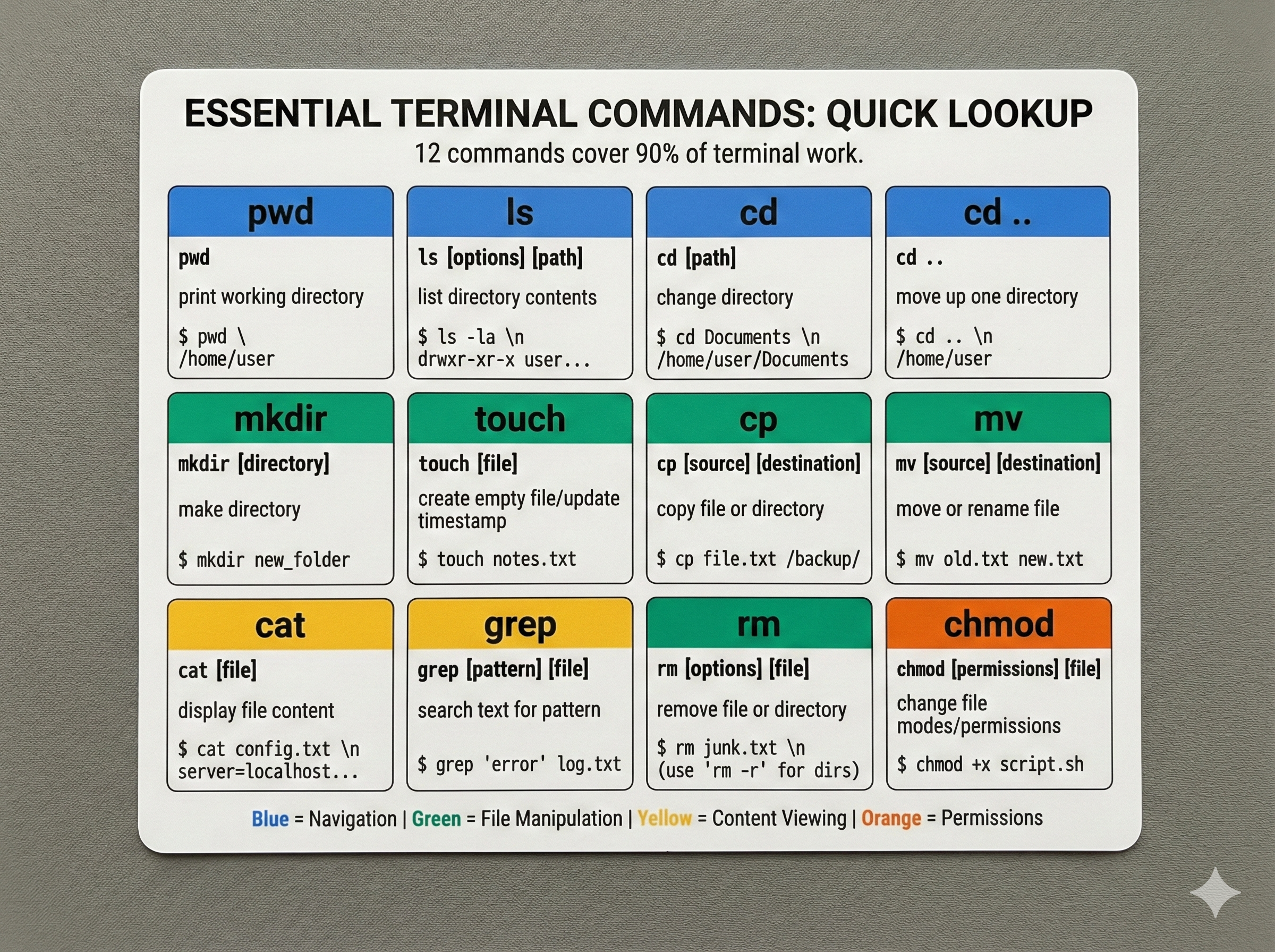
Chapter 10 (Git & GitHub): Git operations happen in the terminal. You'll use pwd to verify repository location, ls to see which files are tracked, and the supervision pattern (check location → verify files → execute safely) when committing code.
Future Chapters: Every professional tool you'll use—Python package managers, Docker, Kubernetes, CI/CD pipelines—operates through the command line. Mastering Bash fundamentals now means you can confidently supervise AI operations across your entire development career.
Quick Reference