Building Your Own Skills
You've experienced skills in action. You've mapped a procedure worth encoding. Now you build.
This lesson takes you from understanding skills to creating them. By the end, you'll have a working skill in your .claude/skills/ folder—and know how to use Claude itself to create more.
Skills are written in Markdown with YAML frontmatter. If you're not comfortable with headings, bullet points, code blocks, or YAML syntax, take 15 minutes to review Chapter 10: Markdown for AI-Native Development before continuing. You'll write better skills with that foundation.
The SKILL.md File: Anatomy of Encoded Expertise
Every skill lives in a folder. The folder contains one required file: SKILL.md.
.claude/skills/meeting-notes/
└── SKILL.md    ← This is what you create
That's it. A skill can be a single markdown file. The simplicity is intentional—anyone can create one.
The Two Parts of SKILL.md
Part 1: YAML Frontmatter (The ID Card)
---
name: "meeting-notes"
description: "Transform meeting transcripts or raw notes into structured summaries with action items, decisions, and follow-ups. Use when user shares meeting content or asks for meeting notes."
version: "1.0.0"
---
Part 2: Markdown Body (The Instructions)
# Meeting Notes Skill

## When to Use
- User shares a meeting transcript
- User asks to summarize meeting notes
- User mentions "action items" or "meeting summary"

## Procedure
1. Extract action items with owners and deadlines
2. Highlight decisions made (with who made them)
3. Summarize discussion points (don't transcribe verbatim)
4. Flag open questions for follow-up
5. Keep to one page maximum

## Output Format
**Action Items** (top of document)
- [ ] Task — Owner — Deadline

**Decisions Made**
- Decision: [what] — Made by: [who]

**Discussion Summary**
Brief bullets, not transcription.

**Open Questions**
- Question needing follow-up
That's a complete skill. No scripts required. No complex setup. Just clear instructions in a format Claude can read.
The Description Field: Your Skill's Activation Trigger
The description in YAML frontmatter is the most important line you write. It determines when Claude activates your skill.
Claude sees skill descriptions at startup (Level 1 of the three-level architecture). When you ask for help, Claude scans these descriptions to decide which skills apply.
Good vs. Bad Descriptions
Bad description (too vague):
description: "Helps with notes"
Problem: "notes" could mean anything. Claude won't know when to activate.
Bad description (too narrow):
description: "Summarizes Zoom meeting transcripts from the marketing team"
Problem: Won't activate for Teams calls, non-marketing meetings, or live notes.
Good description (clear context + action):
description: "Transform meeting transcripts or raw notes into structured summaries with action items, decisions, and follow-ups. Use when user shares meeting content or asks for meeting notes."
Why it works:
- States WHAT it does (transform → structured summaries)
- Lists KEY OUTPUTS (action items, decisions, follow-ups)
- Specifies WHEN to use (meeting content, meeting notes request)
The Description Formula
[Action verb] + [input type] + [into/for] + [output type] + [key features].
Use when [trigger conditions].
Examples:
# Blog planning
description: "Plan blog posts with topic research, outline creation, headline variations, and introduction drafts. Use when user asks to plan, outline, or write blog content."

# Code review
description: "Perform systematic code reviews checking security, performance, maintainability, and best practices. Use when user asks to review code or check for issues."

# Email drafting
description: "Draft professional emails matching specified tone and purpose. Use when user needs to write emails or requests communication help."
Hands-On: Create Your First Skill
You mapped a procedure in Lesson 04. Now encode it.
Step 1: Create the Folder
mkdir -p .claude/skills/blog-planner
Step 2: Create SKILL.md
Create .claude/skills/blog-planner/SKILL.md:
---
name: "blog-planner"
description: "Plan engaging blog posts with topic research, structured outlines, headline variations, and compelling introductions. Use when user asks to plan, outline, or write blog content."
version: "1.0.0"
---

# Blog Planning Skill

## When to Use This Skill

- User asks to "plan a blog post" or "write an article"
- User mentions blog topics, headlines, or content strategy
- User needs help structuring written content

## Procedure

1. **Understand the topic**: Clarify subject and target audience
2. **Create outline**: Structure into 3-5 main sections
3. **Generate headlines**: Provide 5 variations (curiosity-driven, benefit-focused, direct)
4. **Draft introduction**: Write a hook that challenges assumptions or poses a question

## Output Format

**Topic Summary**: 2-3 sentence overview
**Target Audience**: Who should read this?
**Outline**: Numbered list of main sections with brief descriptions
**Headline Options**: 5 variations
**Introduction Draft**: 1-2 paragraph hook

## Quality Criteria

- Headlines: Curiosity-driven, never clickbait
- Introductions: Challenge assumptions or pose unexpected questions
- Outlines: Problem → failed solutions → insight → application structure
- Specificity: Use numbers over vague claims ("30% improvement" not "significant gains")

## Example

**Input**: "Help me plan a blog post about sustainable living"

**Output**:
- **Topic Summary**: Practical sustainable living tips for busy professionals who want impact without lifestyle overhaul.
- **Target Audience**: Working adults seeking eco-friendly changes that fit their schedule.
- **Outline**:
  1. The myth of the perfect eco-warrior
  2. 5 swaps that take 10 minutes or less
  3. The compound effect of small changes
  4. What NOT to waste time on
  5. Your 30-day sustainable starter plan
- **Headlines**:
  1. "You Don't Need to Be Perfect to Live Sustainably"
  2. "5 Sustainable Swaps That Take Less Time Than Your Coffee Break"
  3. "Why Most Sustainability Advice Is Wrong (And What Works Instead)"
  4. "The Lazy Person's Guide to Environmental Impact"
  5. "Sustainable Living for People Who Don't Have Time for Sustainable Living"
- **Introduction**: "You've seen the Instagram influencers with their zero-waste pantries and composting systems. You've felt guilty scrolling past. Here's what they don't show: most of those lifestyles require hours of maintenance. The good news? You can cut your environmental impact by 40% with changes that take less time than your morning scroll. No mason jars required."
Step 3: Test Your Skill
Start Claude Code in your project:
claude
Then ask:
Help me plan a blog post about learning AI tools as a beginner
Watch for:
- Does Claude follow the procedure?
- Does output match the format?
- Does the quality match your criteria?
Step 4: Verify Activation
Ask Claude directly:
What skills are you using in our conversation? Did you activate the blog-planner skill?
This confirms the skill loaded and helps you understand the activation mechanism.
Refining Skills Through Co-Learning
Your first version won't be perfect. That's expected. Use Claude to improve it.
The Co-Learning Cycle
AI as Teacher: Claude suggests improvements you didn't think of.
Review my blog-planner skill. What could be improved?
Suggest 2-3 specific enhancements.
Claude might suggest:
- Add SEO considerations to the outline section
- Include word count targets for each section
- Add a "common mistakes to avoid" section
You as Teacher: You specify constraints Claude doesn't know.
Good suggestions, but I have constraints:
- Headlines must be curiosity-driven, NEVER clickbait
- I prefer problem → insight → application structure
- Keep introductions under 100 words

Update the skill with these constraints.
Convergence: Together you refine until the skill matches your actual workflow.
Iteration Prompts
After using the skill a few times:
I've used the blog-planner skill 3 times now. Here's what worked and what didn't:
- Worked: Headline variations are great
- Didn't work: Outlines are too generic, need more specific section descriptions

Help me update the skill to fix the outline issue.
Compare the blog-planner output to how I actually wrote my last blog post.
What's different? Should we update the skill to match my real style?
Skills vs. Subagents: Decision Criteria
When do you create a skill vs. a subagent?
| Factor | Choose Skill | Choose Subagent |
|---|---|---|
| Invocation | Automatic (Claude decides) | Explicit (you invoke) |
| Context | Shared with main conversation | Isolated context window |
| Complexity | Lightweight, single-focus | Multi-step, complex workflows |
| Guarantee | Soft activation (might not trigger) | Hard invocation (always runs) |
| Best for | Repeated patterns, formatting, procedures | Audits, refactoring, comprehensive analysis |
Use skill when: "I want Claude to automatically do this whenever it's relevant."
Use subagent when: "I need guaranteed execution with isolated context for this complex task."
Examples
Skill appropriate:
- Meeting notes formatting (happens often, simple procedure)
- Blog post planning (repeated task, consistent structure)
- Code comment style (automatic enforcement)
Subagent appropriate:
- Comprehensive security audit (complex, needs isolation)
- Multi-file refactoring (guaranteed execution required)
- Full codebase analysis (too large for skill context)
Skill Design Principles
Keep It Concise
Claude is intelligent. Don't over-explain.
Too verbose:
## How to Create an Outline
An outline is a structured plan for your content. It helps organize thoughts.
To create an outline, first think about your main points. Then arrange them
in logical order. Each point should support your thesis. Consider your
audience when deciding how much detail to include...
Just right:
## Outline Creation
- 3-5 main sections
- Problem → insight → application structure
- Each section: clear topic + brief description
Show, Don't Just Tell
Include examples. Claude learns better from concrete demonstrations.
## Headline Format

**Formula**: [Unexpected element] + [Benefit/Promise]

**Examples**:
- "Why Most Productivity Advice Makes You Less Productive"
- "The Lazy Developer's Guide to Clean Code"
- "Stop Trying to Be Consistent (Do This Instead)"
Specify Quality Criteria
Make your standards explicit:
## Quality Standards

- Paragraphs: 3 sentences max
- Headlines: Curiosity-driven, never clickbait
- Numbers: Specific ("37%") over vague ("significant")
- Tone: Conversational, not academic
Adding Supporting Files (Optional)
For complex skills, add scripts or references in subdirectories:
.claude/skills/pdf-extractor/
├── SKILL.md                    # Main instructions
├── scripts/
│   └── extract_tables.py       # Python extraction tool
└── references/
    └── pdf-standards.md        # Format specifications
Level 3 loading: Claude only accesses supporting files when executing the skill—they don't consume context until needed.
For most skills, SKILL.md alone is sufficient. Add supporting files only when your skill needs:
- Executable scripts for deterministic tasks
- Reference documentation for complex domains
- Templates or assets for output generation
Building Skills with the Skill-Creator
Here's where it gets powerful: use Claude to create skills.
Remember the Skills Lab you downloaded in Lesson 04? It includes a skill-creator skill. This is a meta-skill—a skill for creating other skills.
If you haven't downloaded it yet:
- Go to github.com/panaversity/claude-code-skills-lab
- Click the green Code button → Download ZIP
- Extract and open the folder in your terminal
Using Skill-Creator
From the skills lab directory:
cd claude-code-skills-lab
claude
Then:
I want to create a skill for [your procedure]. Use the skill-creator to help me build it.
For example:
I want to create a skill for writing technical documentation.
My procedure:
1. Start with a one-sentence summary
2. List prerequisites
3. Provide step-by-step instructions with code examples
4. End with troubleshooting section
5. Keep jargon minimal, explain terms on first use

Use the skill-creator to build this into a proper skill.
What Skill-Creator Does
The skill-creator guides you through:
- Understanding your skill: Asks clarifying questions about your procedure
- Planning structure: Determines what goes in SKILL.md vs. supporting files
- Writing the description: Crafts activation triggers that work
- Creating the file: Generates complete SKILL.md with proper format
- Testing guidance: Suggests prompts to verify the skill works
The Meta-Skill Advantage
Using skill-creator, you can build skills for:
- Your meeting note format
- Your code review checklist
- Your email writing style
- Your research summary template
- Any repeated procedure you identified in Lesson 04
Each skill you create makes Claude more useful for YOUR work. And you can share these skills with your team—everyone benefits from encoded expertise.
Your Skill Creation Workflow
Here's the process to follow for each new skill:
1. Identify the Procedure
- What task do you repeat?
- What makes your approach distinctive?
- What would take 10+ minutes to explain to someone new?
2. Draft the Skill
- Write SKILL.md with YAML frontmatter
- Include clear "when to use" triggers
- Document your procedure step-by-step
- Add an example input/output
3. Test and Iterate
- Try the skill with real tasks
- Note what works and what doesn't
- Ask Claude for improvement suggestions
- Refine based on actual usage
4. Share (Optional)
- Skills are portable—same format across Claude.ai, Claude Code, API
- Share with teammates by sharing the folder
- Consider contributing to open skill repositories
Try With AI
Create Your Custom Skill:
"I have a procedure I want to encode as a skill: [describe your procedure from Lesson 04]. Walk me through creating a SKILL.md file. Help me write: (1) an effective description that triggers at the right times, (2) clear instructions Claude can follow, (3) quality criteria that match my standards, (4) an example input/output."
Use Skill-Creator:
"Use the skill-creator to help me build a skill for [your domain: technical writing / project planning / code review / research summaries]. Start by asking me questions about my procedure, then generate the complete SKILL.md file."
Refine an Existing Skill:
"Here's my current [skill-name] skill: [paste SKILL.md content]. I've used it 3 times and noticed: [what worked], [what didn't work]. Help me improve the skill to fix these issues."
Design a Skill Suite:
"I work on [describe your project type]. Help me identify 3-5 skills I should create that would work together. For each skill, suggest: what it does, when it activates, and how it complements the others."
Skills Beyond Software: Universal Applicability
Remember: skills aren't just for coding. They work for ANY domain where you have expertise worth encoding.
Examples from non-technical fields:
| Role | Skill Example | What It Encodes |
|---|---|---|
| Financial Analyst | quarterly-report | Company's specific KPI formatting, variance analysis approach |
| HR Manager | candidate-evaluation | Interview rubric, scoring criteria, red flag checklist |
| Marketing Lead | campaign-brief | Brand voice, audience targeting framework, channel strategy |
| Legal Counsel | contract-review | Clause analysis workflow, risk flagging criteria |
| Educator | lesson-plan | Learning objectives structure, assessment alignment |
The pattern is universal: if you repeat a procedure and it has your expertise embedded in it, it's a skill candidate.
The Bigger Picture: Skills as Building Blocks
Here's what makes skills strategically valuable:
Today: Skills make Claude more useful for your personal work.
Tomorrow: Skills you create become building blocks for larger systems.
In Part 6 of this book, you'll learn to build Custom Agents using SDKs (OpenAI, Claude, Google). Here's the insight: skills you create now can be integrated into those Custom Agents.
Your Expertise → Skills → Custom Agent → Deployed Product
A skill for "quarterly financial analysis" doesn't just help you today. It becomes a component in a financial analysis agent you could deploy for clients. A skill for "candidate evaluation" becomes part of a recruiting automation system.
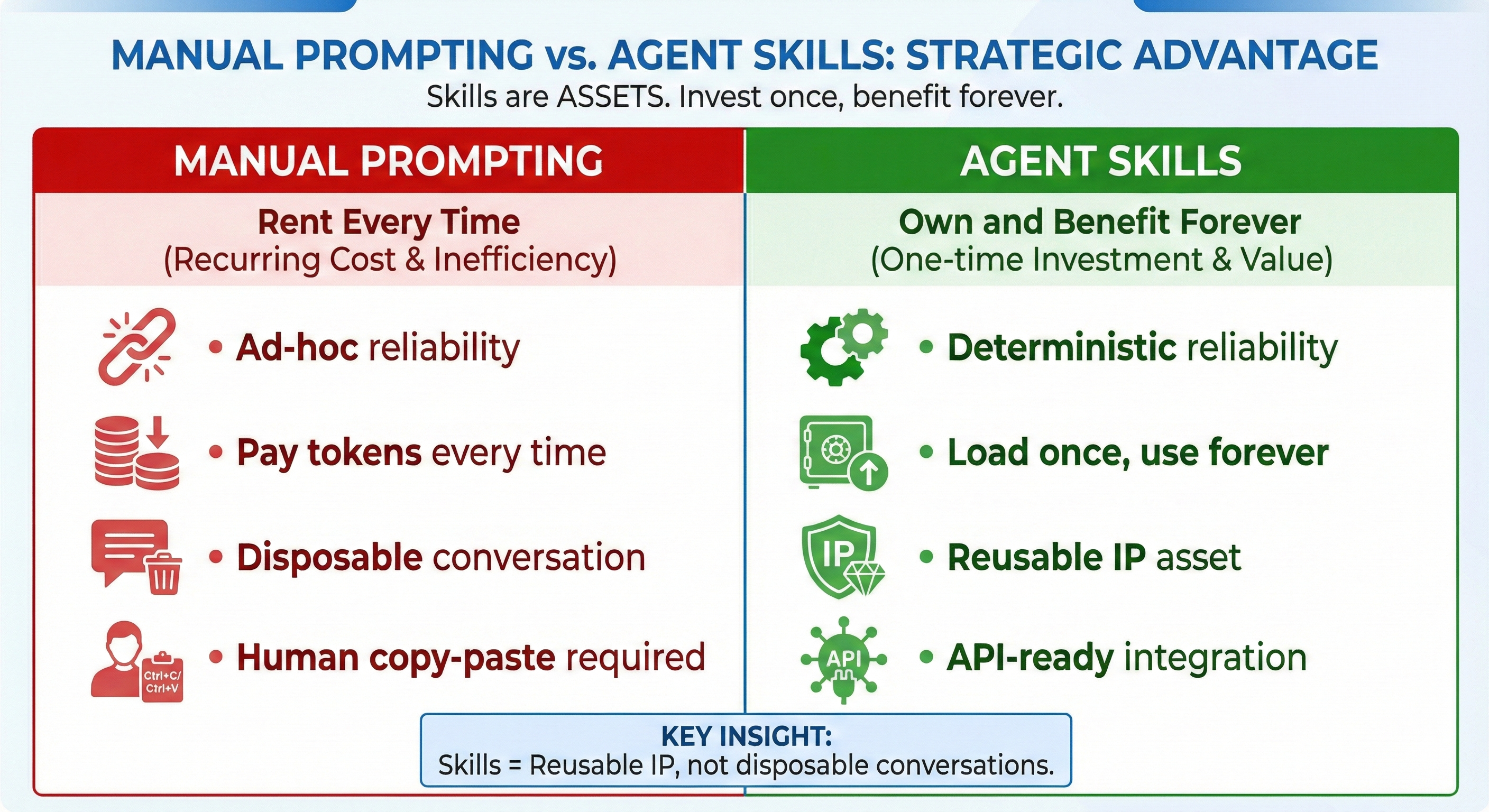
Skills are reusable intellectual property. They compound in value—first for your personal productivity, then for your team, and potentially for products you build or sell.
Reflection
You've gone from understanding skills (Lesson 04) to understanding their architecture (Lesson 05) to building them yourself.
The skills you create now will compound. Each one makes Claude more useful for YOUR specific work. Share them with teammates, and the whole team benefits from encoded expertise. And as you'll see in Part 6, these same skills become building blocks for Custom Agents you can deploy.
The next lessons explore features that complement skills: project context files, external connectivity, and complex task handling. Skills are just the beginning.